 Bit Bridge
Convert any file.
Nothing leaves your Mac.
285 conversions across images, video, audio, documents, archives and fonts. Free, no account, no file-size limits — turn off Wi-Fi and it still works.
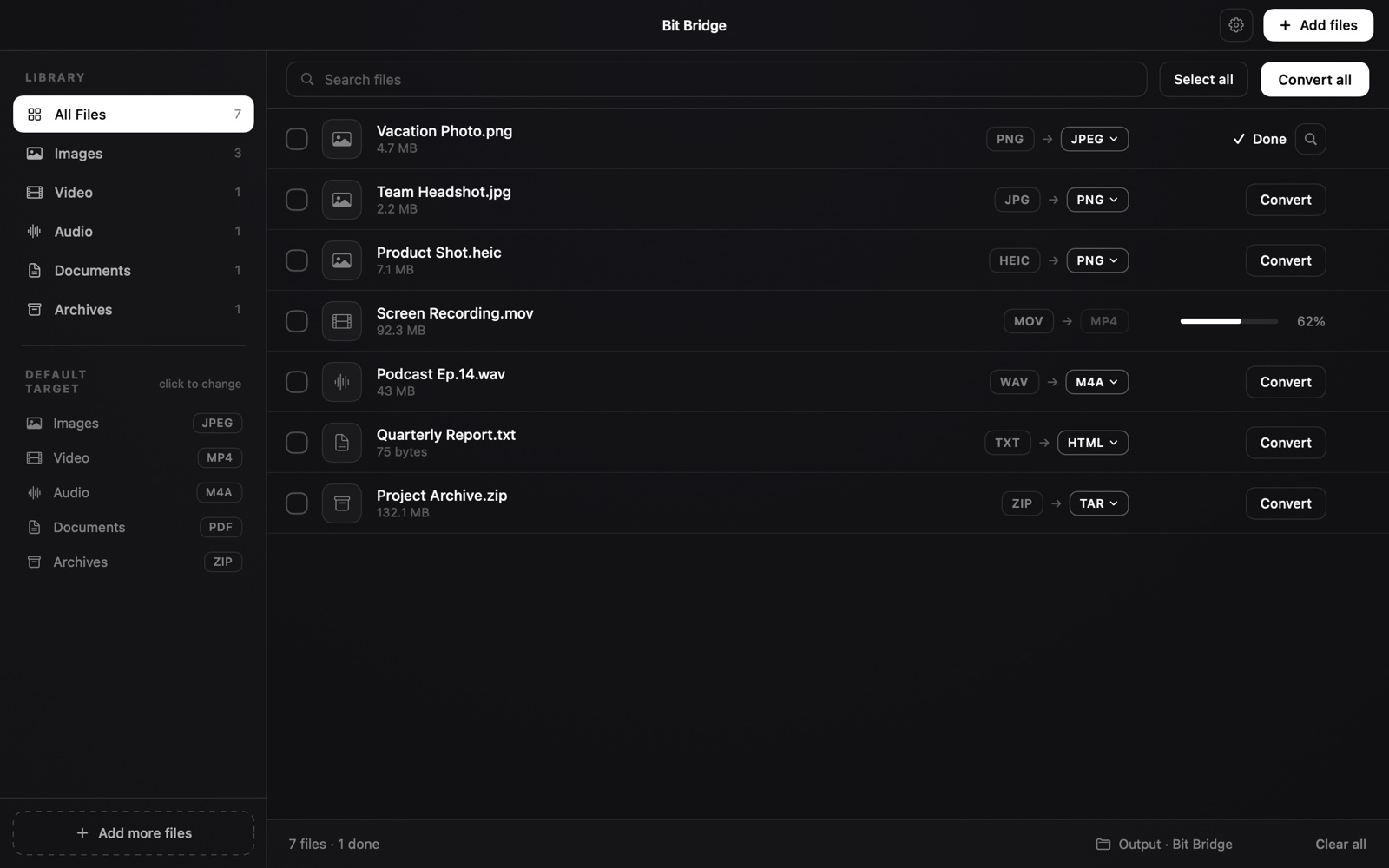
285 conversions. Six kinds of file.
Every pair below is tested on every release — not claimed, measured.
Drop a file, pick a format, done.
No settings to learn, no export dialog, no watermark.
Batch everything at once
Drop a hundred files of mixed types. Each one converts to a sensible target in parallel, with live progress per file.
Compression with real numbers
Every size and quality figure is measured by actually encoding the file — not guessed from a formula. You see the exact result before you commit.
Right-click in Finder
Convert ▸ and Compress ▸ appear in the Finder menu. Pick a format and the new file lands next to the original. Direct download only.
Keeps what matters
EXIF, GPS, colour profiles and HDR gain maps survive the trip. Photos come out the right way up, every time.
Genuinely offline
There is no network code in the app. No telemetry, no analytics, no account, no "free tier". Airplane mode changes nothing.
Free, with no catch
No file-size cap, no daily limit, no ads, no upsell screen. The whole app is the free version.
Two ways to get it
Same converter, same 285 pairs, same price. The direct download adds the things Apple's sandbox doesn't allow.
| Mac App Store | Direct .dmg | |
|---|---|---|
| All 285 conversions | ✓ | ✓ |
| Batch queue & compression | ✓ | ✓ |
| Price | Free | Free |
| Right-click Convert ▸ in Finder | — | ✓ |
| Right-click Compress ▸ in Finder | — | ✓ |
| MCP server for AI assistants | — | ✓ |
| Saves anywhere without re-asking permission | — | ✓ |
| Updates | via the App Store | built in, automatic |
| Sandboxed by Apple | ✓ | — |
Setting up the .dmg
Two minutes, three steps. Step 3 is the one that puts Convert ▸ in your right-click menu.
Install it
Open the downloaded Bit Bridge 1.1.dmg. A window opens with the app and a shortcut to your Applications folder — drag Bit Bridge onto it. Then eject the disk image; you can delete the .dmg.
Open it once
Launch Bit Bridge from Applications. That's the whole app — drop files on the window, pick a format, and converted copies appear in the folder you choose.
Turn on the Finder menu
Open System Settings → General → Login Items & Extensions, scroll to Finder Extensions, and switch on Bit Bridge.
Now right-click any file in Finder and you'll see Convert ▸ and Compress ▸. Choose a format and the converted file appears beside the original — the app does the work in the background without stealing focus.
Exactly what gets installed
- Bit Bridge.app in your Applications folder. That's it.
- The Finder extension lives inside that app bundle — it is not a separate install.
- No background daemon, no login item, no helper tool, no kernel extension.
- Nothing is written outside the app and its own preferences.
- To uninstall: drag the app to the Trash. Nothing is left behind.
Nothing leaves your Mac.
Bit Bridge has no network code. Your files are never uploaded, because there is nowhere to upload them to. No account, no telemetry, no analytics — the App Store privacy label reads Data Not Collected.
This matters more than it sounds. The FBI has warned that free online converter sites can harvest the contents of what you upload — or hand back malware instead of a file. Bit Bridge exists so there is nothing to upload in the first place.
Questions
Is it really free?
Yes. No file-size cap, no daily limit, no ads, no watermark, no trial that expires. Both versions are the complete app.
Which version should I get?
If you want the right-click Convert menu in Finder, get the .dmg — Apple's sandbox rules mean that feature can't ship in the App Store build. If you'd rather everything came through Apple with automatic updates and sandboxing, get the App Store version. Everything else is identical.
Can I install both?
You can, but there's no reason to — they're the same app and the second one will just sit there. Pick one.
Does it convert HEIC photos from my iPhone?
Yes — HEIC to JPEG or PNG is one of the most common things people use it for, in batches of hundreds. Orientation, EXIF, GPS and HDR gain maps are preserved.
Why is there no MP3 export?
macOS ships no MP3 encoder, and every available one carries a licence that would compromise either the App Store build or the app's licensing. MP3 files convert in fine; for output, AAC and M4A are supported everywhere MP3 is and sound better at the same size.
What's the MCP server?
The direct download can run as a Model Context Protocol server, which lets an AI assistant like Claude convert and compress files on your Mac for you. Launch it with "Bit Bridge" --mcp.
What are the system requirements?
macOS 14 (Sonoma) or later, on Apple silicon or Intel. The download is a universal binary — one app, both architectures.